| |
Desktop Computer
|
|
|
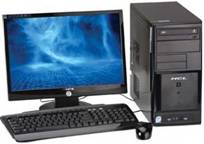
Plate 7A Desktop Computer & CPU |
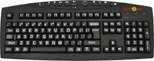
7B Key-board |
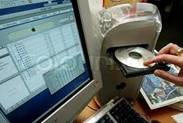
7C CD inserting in CPU |
(Source:https://www.google.co.in/search?um=1&hl=en&biw=1350&bih=602&noj=1&tbm=isch&sa=1
&q=desktop+computer+with+CD+Drive&oq=desktop+computer+with+CD+Drive&gs_l=img.12...7992
3.86936.0.88776.10.9.1.0.0.0.127.973.0j9.9.0...0.0...1c.1.mhnuq_azAz4 ; Nov. 9, 2012)
Desktop Computer (plate 7A) is a complex product that is having number of functioning built in one total product. It has basic three units- monitor, key-board with mouse and a CPU. Each one has very specific functioning. Monitor displays virtual images based on the command. The commands are generated through key-board (plate 7B) for typing. CPU (plate 7C) is mounted with Hard-disk and CD Drive. Naturally each component has to be linked to other units for the complete performance. It is a complex mechanism that performs through the monitor’s visual interaction ability.
Exercise: Select a household product and make a list of number of paradigms involved in the entire system. Draw each complex unit and analyse the basic paradigm in detail sketch. |